Building a Connected Home That Actually Works
A practical guide to choosing devices, platforms, and protocols that play well together.
What you'll achieve
By the end of this guide, you will have:
- A coherent smart home platform strategy
- Matter-compatible device shortlist
- Network and hub setup that avoids fragmentation
What you'll need
The promise of a unified smart home remains elusive for most people. Devices from different manufacturers speak different protocols, apps multiply on your phone, and automations break when any single component updates. But with the right approach to platforms and protocols, a genuinely seamless connected home is achievable.
Follow these steps
Choose a primary platform
Apple Home, Google Home, or Home Assistant—pick one hub philosophy and commit.
Audit your Wi-Fi coverage
Mesh or access points before adding dozens of IoT devices.
Prioritize Matter-compatible devices
Matter ensures cross-platform interoperability without cloud lock-in.
Start with high-impact categories
Thermostat, lighting, and locks deliver the most daily value first.
Segment IoT on a separate network
Guest or IoT VLAN improves security without complicating daily use.
Document your device map
Keep a spreadsheet of IPs, firmware versions, and room assignments.
Start with a Plan
Before buying any device, define your priorities. Security? Energy management? Lighting ambiance? Whole-home audio? Each goal suggests different hardware and platform choices. Resist the temptation to buy gadgets first and integrate later—that path leads to app sprawl and incompatible hardware.
The Matter Standard
Matter is the interoperability layer the industry has promised for a decade. Backed by Apple, Google, Amazon, Samsung, and hundreds of device manufacturers, Matter allows smart devices to work across ecosystems without proprietary bridges. A Matter-certified smart plug works with HomeKit, Google Home, and Alexa simultaneously. When shopping, prioritize Matter-compatible devices—they future-proof your investment.
Platform Comparison
- Apple HomeKit: Best privacy (local processing), seamless iPhone/iPad integration, smaller device selection but growing via Matter
- Google Home: Strong voice control, excellent Nest integration, cloud-dependent processing
- Amazon Alexa: Widest device compatibility, best voice assistant, weakest privacy posture
- Home Assistant: Open-source, maximum flexibility and local control, steeper learning curve
Protocols Explained
Understanding protocols prevents costly mistakes. Wi-Fi devices connect directly to your router but congest networks and drain batteries. Zigbee and Z-Wave are low-power mesh networks purpose-built for smart home sensors, switches, and locks—they require a hub but offer superior reliability. Matter runs over Wi-Fi, Thread (a low-power mesh protocol), and Ethernet. Thread is particularly promising: low latency, self-healing mesh, and battery life measured in years.
Buy the ecosystem, not the gadget. Every device should serve a platform strategy.
Building in Layers
- Layer 1 — Network: Robust Wi-Fi with mesh coverage (Eero, UniFi, Orbi). Dedicated 2.4GHz band for IoT devices.
- Layer 2 — Hub: A Matter-compatible hub (Apple HomePod, Google Nest Hub, Aeotec Smart Home Hub) coordinates devices.
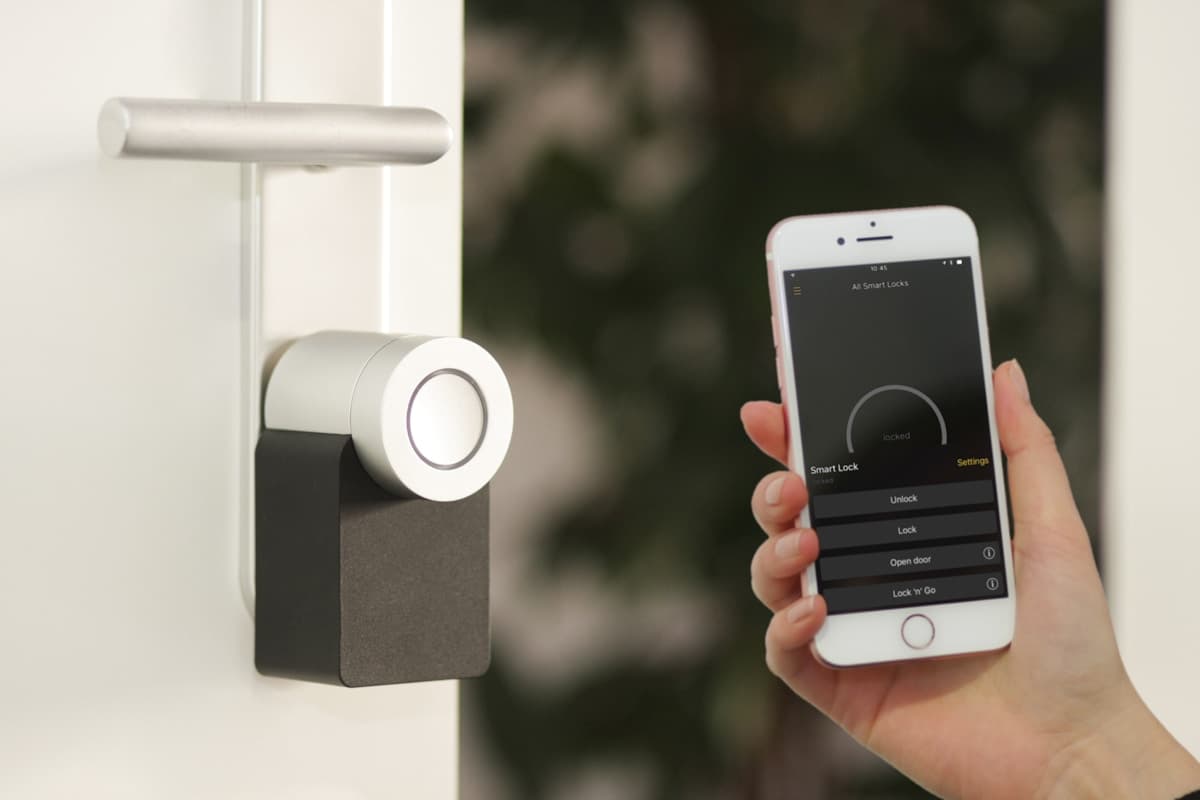
- Layer 3 — Devices: Start with high-impact categories: smart thermostat, door locks, lighting, and security sensors.
- Layer 4 — Automation: Create routines that link devices: "Good morning" raises shades, adjusts temperature, and starts coffee.
Common Pitfalls
Avoid these mistakes: buying devices that require separate cloud accounts, mixing incompatible protocols without a unifying hub, placing smart speakers in bedrooms (privacy), and neglecting firmware updates that patch security vulnerabilities. Budget for a central hub and quality networking before individual gadgets.
Maintenance and Longevity
Smart homes require maintenance like any system. Update firmware quarterly. Audit device permissions annually. Replace batteries in sensors proactively. When a manufacturer discontinues a product line—as happens frequently—Matter compatibility ensures you are not locked into a dead ecosystem. Build for longevity, not novelty.
Recommended Starter Kits
Recommended Starter Kits
- Apple ecosystem: HomePod mini hub, Eve Motion sensors, Nanoleaf Matter bulbs, Yale Assure Lock 2
- Google ecosystem: Nest Hub, Nest Thermostat, Nest Doorbell, TP-Link Kasa Matter plugs
- Budget local-first: Home Assistant on Raspberry Pi 5, Sonoff Zigbee dongle, Aqara sensors
- Security-focused: Ring Alarm Pro with built-in eero Wi-Fi 6, Yale locks, Ring cameras
Frequently Asked Questions
Should I use Wi-Fi or Zigbee sensors? Zigbee for battery-powered sensors (motion, door, temperature); Wi-Fi for high-bandwidth devices (cameras, speakers). Can I mix ecosystems? Yes, with Matter—but choose one primary platform for automations. How many devices before I need mesh Wi-Fi? Beyond 15–20 Wi-Fi IoT devices, dedicated 2.4GHz management or a Thread border router becomes essential. Do smart homes increase home value? Studies show 3–5% premiums for homes with integrated smart security and energy systems.
24%
Of smart home households now own Matter-compatible devices
Security Hardening
Change default passwords on every device immediately. Enable two-factor authentication on all platform accounts. Segment IoT devices on a guest network or dedicated VLAN. Disable UPnP on your router. Update firmware within 30 days of release. Audit device permissions quarterly—does your light bulb app really need location access? Use a password manager for unique credentials per service. Smart home security is not optional; compromised cameras and locks are real attack vectors documented by CISA.
Automation Examples
- Away mode: randomize lights, arm security, set thermostat to eco, close garage door if open
- Goodnight: lock doors, arm perimeter, dim lights, lower thermostat, silence notifications
- Morning: raise shades, start coffee, adjust temperature, read weather and calendar aloud
- Energy save: when solar production exceeds consumption, route excess to EV charger or battery
Document your smart home setup in a shared household guide: network names, device locations, automation schedules, and reset procedures. When you are traveling and automations fail, or when guests need to adjust the thermostat, a one-page reference prevents frustration. Update the guide quarterly as devices are added or removed. The smartest homes are not the most complex—they are the most maintainable.